Loading product


A verified Zarova account is required.
Your Zarova account is used to sign in and restore your authorised session.
Cortex for macOS
Cortex turns an ordinary folder on your Mac into one connected workspace across documents, PDFs, presentations and spreadsheets, without moving your files into a proprietary document store.
Cortex v0.1.3 requires an Apple Silicon Mac running macOS 11 or later.
Cortex v0.1.3 · macOS · Apple Silicon · Build Week Preview · Approximately 8.92 MB · macOS 11+
Ad-hoc signed · Not notarised
Cortex doesn’t ask you to reorganize your work.It helps you rediscover it.
Important information is spread across folders, formats and projects. Cortex helps you find the conclusion, phrase, number or context you remember, even when you no longer remember where it was saved.
A guided walkthrough of the current Cortex Build Week Preview, from setup and vault creation to search, previews, imports and updates.
The YouTube player loads only after you choose to play the demo.
The Cortex product demo has not been loaded.
Select the ordinary folder Cortex should use as your workspace.
Keep supported files and folders in the vault you control.
A local catalogue prepares supported files for Search and previews.
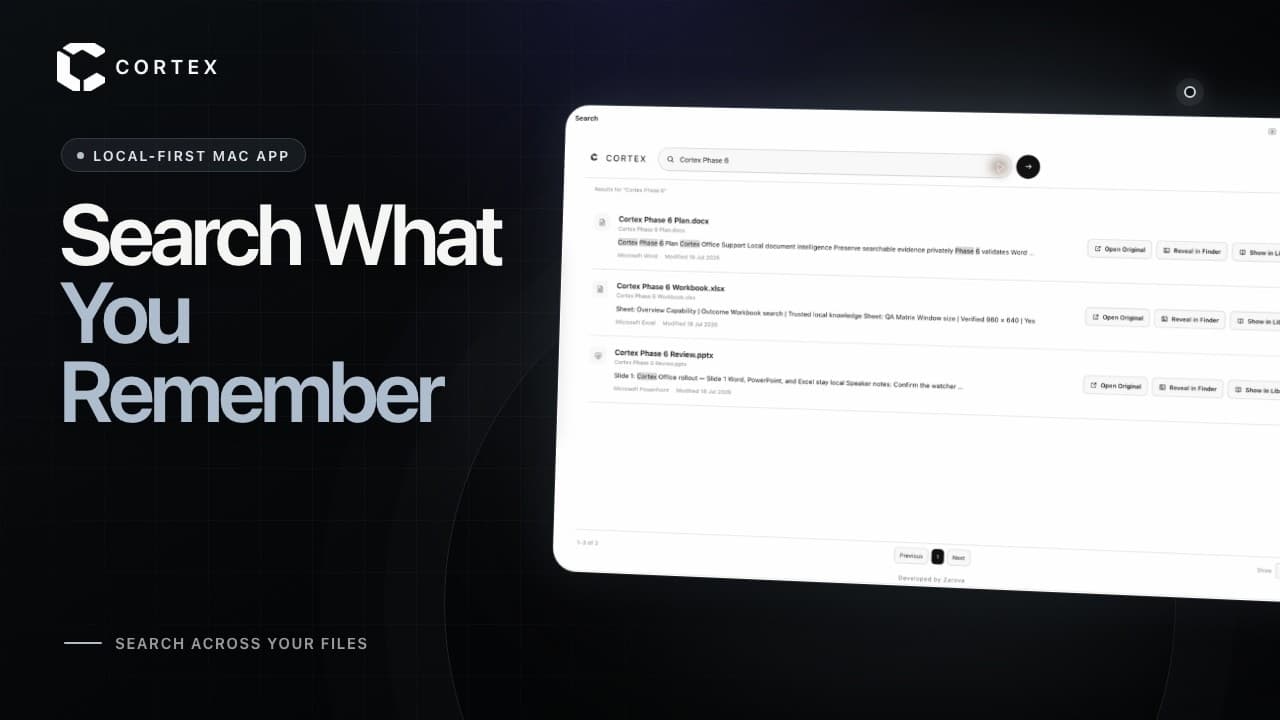
Find remembered phrases, numbers and context across supported files.
Review the evidence, then open the original file in place.
Cortex works with ordinary folders on your Mac. It builds a local catalogue for Search and previews while the original files remain inside the vault you choose.
A Zarova account is required for authentication. The current release does not run AI inference against the vault.
Text-based PDFs are supported. OCR is not included in the current preview.
Your Zarova account is used to sign in and restore your authorised session.
Initial sign-in and account-related actions require a connection. Once Cortex restores a usable session, the current local Search, Library, preview and Activity workflows can continue without an active connection.
Cortex does not upload the contents of your selected vault files to Supabase or OpenAI in the current release. Zarova handles account information separately for authentication.
Cortex can be used online or offline, but it needs an internet connection to check for updates. Eligible automatic checks and user-requested manual checks never install an update silently.
Cortex begins with a practical local workspace for finding and exploring the files you already own. Future intelligence will build on that same user-controlled foundation.
AVAILABLE IN v0.1.3
Now product direction
Index supported files locally, follow nested folder changes and search with live suggestions, highlighted excerpts and links to the original source.
Cortex is being built iteratively. Planned capabilities reflect the current product direction and may evolve as the product is tested and refined.
Installation and release
Cortex v0.1.3 requires an Apple Silicon Mac running macOS 11 or later.
Download not starting? Open the GitHub release page.
Choose the Cortex vault as your browser’s download destination, or save files into it through Finder. Cortex watches the folder and indexes supported files automatically.
Cortex v0.1.3 is an early Build Week Preview and is not yet notarised by Apple. macOS may block the app on first launch.
After this one-time Gatekeeper approval, Cortex should open normally from Applications.
Cortex uses macOS Keychain to protect and restore the saved account session. On first use or after an ad-hoc-signed application update, macOS may request the Mac login or Keychain password.
Choose Always Allow only when the prompt identifies Cortex and you launched the official copy installed in Applications. Later ordinary launches on the same build should normally restore the session.
An update may require one Keychain approval. In some cases, you may need to sign in once after an update. The password requested by macOS is normally your Mac login or Keychain password, not your Cortex account password.


Download Cortex v0.1.3 for an Apple Silicon Mac.
Use this checksum to verify the downloaded DMG.
db5498be838c9635877b16433391cc33c76c4eb19c78c259451fbb25922593bdView release notesCortex includes a signed updater. New releases can be reviewed and installed from within the app. Updates replace the application in place while keeping the selected vault, catalogue, settings and source files separate.
Cortex checks automatically when eligible, while a manual check bypasses the normal throttle. Available updates appear as a non-intrusive notification with release notes and are not silently installed.
Updater archives are verified with the embedded public key before Cortex replaces the existing application in Applications and relaunches automatically. Vault data remains outside the application bundle.
Because this preview is ad-hoc signed, macOS may request Keychain approval again after an update.